Instagram auto-reply for beauty salons: the complete guide (2026)
ManyChat, Meta Business Suite, or smart assistant? Compare solutions to automate your beauty salon Instagram DMs.
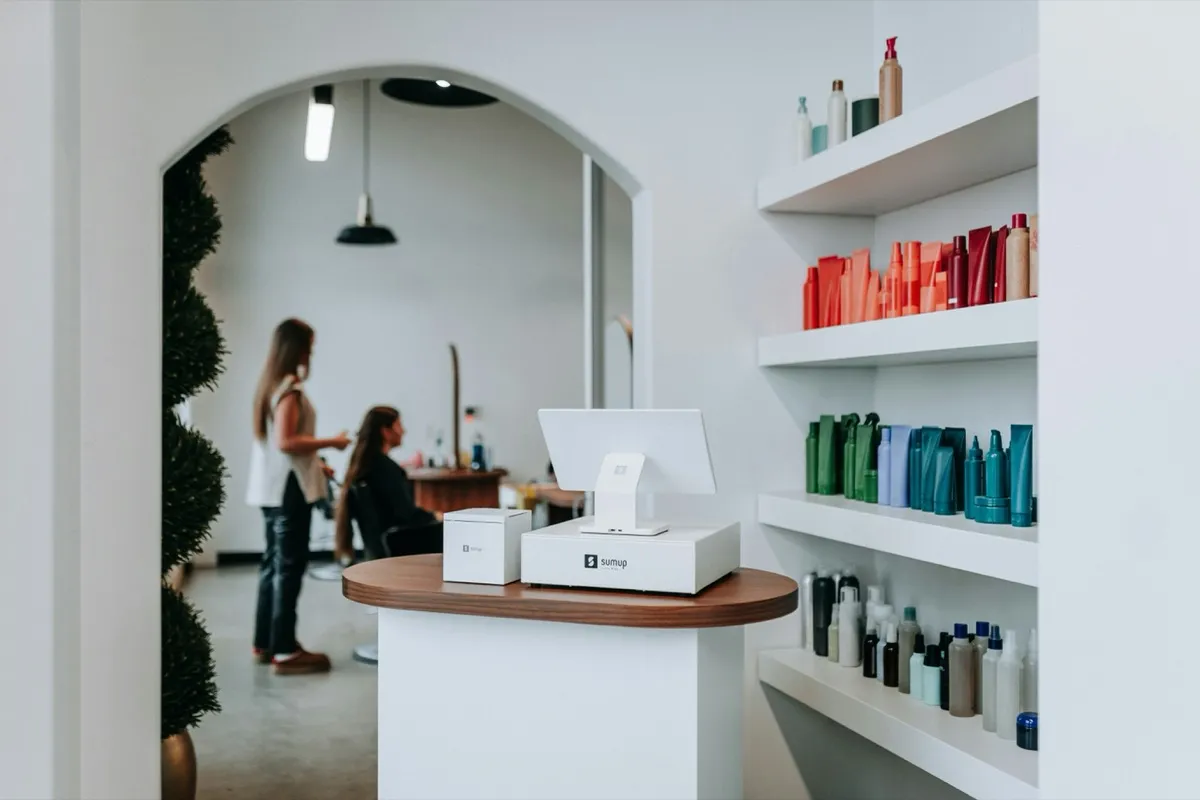
Pricing, availability, directions, “do you do balayage on dark hair?”… You keep getting the same questions in your Instagram DMs, but between clients, there’s no way to grab your phone and reply. The result: messages pile up, potential clients never come back, and you carry a constant sense of guilt. The good news? There are solutions to automate these replies. The less good news: not all of them are created equal, and some can do more harm than good. In this guide, we review everything available in 2026 to automate DMs for a beauty salon, with an honest comparison of each option.
of messages received by salons are the same recurring questions
What Instagram offers natively
Before looking for a third-party tool, it’s worth knowing what Instagram already provides. The platform has made real progress in recent years, especially for professional accounts. Here are the three main features you can use without installing anything.
Quick replies
Quick replies are essentially keyboard shortcuts for DMs. You create predefined responses that you can insert with a single tap. For example, you type /pricing and your price list appears automatically. It’s handy for not retyping the same sentences twenty times a day.
The problem for a beauty salon: you still need to be in front of your phone to reply. The response doesn’t send itself. When your hands are covered in hair dye, quick replies don’t help.
Automatic FAQ
With a professional account, you can set up to four frequently asked questions that appear as clickable bubbles when someone opens a conversation with you for the first time. The person taps “What are your hours?” and gets a predefined answer.
The limitations: four questions maximum, no personalization based on context, and most importantly, it only works on the first message. If a client comes back with a different question, she won’t see the FAQ bubbles anymore.
Away messages via Meta Business Suite
Through Meta Business Suite, you can schedule an automatic away message like “Thanks for your message, I’ll get back to you as soon as possible.” You choose the hours and days when it’s active.
The reality: an away message is not a reply. The client knows you received her message, but she still doesn’t have the answer to her question. If she asks about your Brazilian blowout pricing and gets “Thanks for your message,” she’ll probably send the same DM to three other salons that will actually respond faster.
In short, Instagram’s native tools are a decent starting point, but they don’t solve the real problem: providing a relevant answer when you’re not available. This is exactly what we explore in our article about managing DMs as a beauty professional.
“Thanks for your message! I'll get back to you as soon as possible 💕”
DM automation tools on the market
If native features aren’t enough, the market offers third-party tools to go further. The three most popular options in 2026 are Meta Business Suite (full version), ManyChat, and Naiva. Each has its own logic, strengths, and limitations.
Meta Business Suite (full version)
Beyond the simple away message, Meta Business Suite allows you to create slightly more elaborate auto-reply scenarios. You can configure responses based on keywords detected in the incoming message. For example, if the message contains “price” or “cost,” a predefined reply is sent.
Pros: free, directly integrated into the Meta ecosystem, no need to connect an external tool. Cons: scenarios remain very rigid, keyword detection is approximate (a client who writes “how much for highlights” won’t trigger the keyword “price”), and there’s zero adaptation to your salon’s tone of voice.
ManyChat
ManyChat is probably the most well-known Instagram automation tool. It lets you build “flows”: conversation trees where each client reply triggers a different branch. You can create interactive menus, collect emails, and send promotions.
Pros: very powerful for marketing (sequences, tags, segmentation), a good free plan to get started, and a large online community. Cons: setup takes time (you have to build each flow manually), conversations remain scripted (if the client goes off-script, the bot gets stuck), and the tone is generic. For a beauty salon that wants to preserve its personality in replies, it’s a compromise.
Naiva
Naiva approaches the problem from a different angle. Instead of pre-built scenarios, it’s a smart assistant that learns your tone of voice, knows your services (prices, durations, specialties), and responds to DMs contextually. It understands that “how much for highlights” and “I would like to know the price for highlights please” are asking the same thing.
Pros: no need to create scenarios, replies are personalized and natural, the assistant understands your industry. Cons: specialized for beauty (not suited for generic e-commerce), and the plan is €29.99/month.
| Native Instagram | ManyChat | Naiva | |
|---|---|---|---|
| Personalization | Low | Medium | High |
| Ease of use | Very simple | Intermediate | Simple |
| Custom tone of voice | |||
| Beauty industry adaptation | |||
| Context understanding | |||
| Cost | Free | Free then ~$15/mo | €29.99/month |
| Setup required | Minimal | Significant | Minimal |
“Hi! 👋 Type 1 for pricing, 2 to book, 3 for hours.”
“Hey! Caramel balayage on medium-length hair is $150, takes about 2.5 hours. Want me to check my availability this week? 😊”
Each tool has its audience. Meta Business Suite works if you just need an away message. ManyChat makes sense if you do a lot of DM marketing (promo launches, giveaways). Naiva is designed for beauty professionals who want every message to receive a real answer, in their own style, even when they’re unavailable.
To see exactly how much it's costing you, check out our article on Instagram DM response time and revenue loss.
Why standard auto-replies aren’t enough for a salon
On paper, an auto-reply solves the problem: the client sends a message, she gets a reply, everyone’s happy. But in practice, standard auto-replies (pre-written messages, keyword-based scenarios) create problems that are specific to the beauty industry. Here’s why.
The robotic tone that breaks the relationship
A client who follows you on Instagram knows you. She’s seen your stories, your reels, the way you talk. She expects to find that same energy in DMs. When she receives a message that starts with “Hello, thank you for contacting us. Your inquiry has been noted,” she instantly knows it’s not you. And that disconnect creates distance.
When you use casual, friendly language in your stories but your bot sounds like a corporate customer service script in DMs, it’s an immediate red flag. Your tone of voice is what makes the difference between just another salon and your salon.
The inability to understand beauty-specific questions
The questions you receive don’t always fit into predefined boxes. “Do you do balayage on dark hair?”, “My nails are really short, can you still do gel?”, “It’s my first time, what facial treatment would you recommend?”
A keyword-based system doesn’t know what to do with these messages. It will either not reply at all (the client waits in limbo) or send an irrelevant answer that does more harm than good. Imagine a client asking about caramel balayage and receiving your entire price list as a copy-paste: not exactly engaging.
The lack of conversational context
A real conversation has a thread. The client says “Hi, do you do eyelash extensions?”, you say yes, she asks the price, you give it, she asks about availability. It’s a natural exchange. Standard auto-replies treat each message as if it were isolated. They don’t know that “and how much is that?” refers to the extensions you were just discussing.
To understand how unanswered DMs impact your business, check out our article on why Instagram DMs are critical for beauty professionals.
No knowledge of your specific services
Every salon is unique. Maybe you offer Kobido facials but not microneedling. Your balayage pricing differs by hair length. You don’t work on Mondays. This information is essential for answering correctly, and no generic automation tool knows any of it. The result: either the reply is vague (“Contact us for more information,” which is essentially the same as no reply) or it’s wrong.
The risk of dehumanizing the client relationship
In the beauty industry, the human relationship is at the heart of the business. Your clients come to you for your skills just as much as for the experience. A clumsy auto-reply can make them feel like you don’t care. Conversely, a quick, relevant, and warm reply, even if automated, strengthens the relationship.
So the question isn’t “should I automate or not?” but rather “how do I automate without losing my soul?”
“Hi, do you do balayage on dark hair? How much is it? And do you have any openings this week?”
The alternative: an assistant that replies in your voice
Imagine for a moment that you could have someone who knows all your services, prices, hours, and the way you speak, and who replies to every DM on your behalf, 24/7. Not a robot that recites scripts, but someone who talks like you. That’s exactly what a smart assistant does, and it’s the fundamental difference from a standard chatbot.
Standard chatbot vs. smart assistant
A standard chatbot (like ManyChat) works with scenarios. You define the possible questions, write the matching answers, and the bot follows the script. It’s linear. The moment the client goes off-track, it breaks.
A smart assistant like Naiva works differently. It understands the meaning of the message, not just the keywords. It knows that “got any openings Thursday afternoon?” and “Hello, would you be available Thursday afternoon?” are asking the same thing. And it replies in your style, not a generic one.
How it actually works
During setup, you provide a few examples of real conversations: how you greet your clients, how you share your pricing, your level of familiarity. The assistant analyzes your tone of voice and adopts it. You also enter your services (treatments, prices, durations), hours, and any specifics (“I don’t bleach above level 8,” “I require a $30 deposit from new clients”).
When a DM comes in, the assistant understands the request, looks up the relevant information in your database (e.g., the balayage price for long hair), writes a reply in your style, and sends it on its own when it is confident, after a short delay during which you can review it or step in. If the message is sensitive or it has any doubt, it checks with you before sending. You stay in control: you can switch to approval mode (review every reply before it goes out) whenever you like.
You stay in control, at all times
This is a crucial point. By default, Naiva replies on its own and only checks with you when it is unsure or the message is sensitive: it never takes risks. You stay in control: you can review what it sent, take over a conversation anytime, switch to approval mode (review every reply before it goes out) or turn auto-reply off, whenever you want. Over time, the assistant learns from your feedback. Replies that are approved unchanged become examples for future conversations. It’s a virtuous cycle: the more it learns, the more accurate the replies become, and the more you can let it reply on its own with confidence.
What your clients see (and don’t see)
Your clients see one thing: a fast, relevant reply in your style. They don’t know it’s an assistant. And that’s the whole point: no “I’m a bot, please state your question,” no button menus, no robotic phrases. Just your voice, at any time.
The nuance matters: it’s not about deceiving your clients but about giving them a seamless experience. If the question is too complex or sensitive, the assistant detects it and hands it over to you.
Replies built for the beauty industry
Unlike a generic tool, Naiva is designed for beauty salons. It understands that “balayage” and “highlights” are different services. It knows that the question “do you take kids?” in a salon context means “do you cut children’s hair?” It knows industry specifics (deposits, cancellation policies, processing times) and weaves them naturally into replies.
“Hey! Yes I do balayage on dark hair 🙌 For medium length it's $150 (about 2.5 hours). I'm free Thursday at 2pm or Friday at 10am. Want to book? 😊”
saved per week on average by salons using an AI assistant
To discover how other estheticians maximize their Instagram presence, check out our article on 7 Instagram strategies for estheticians.
How to properly set up your auto-replies
Whether you choose native Instagram, ManyChat, or a smart assistant, here are the best practices to make sure your auto-replies are effective and don’t drive clients away.
Identify your most common questions
Scroll through your last 50 DMs. You’ll see that 80% of questions revolve around five or six topics: pricing, availability, address/directions, services offered, cancellation policy, and sometimes personalized advice. Start by automating those. Everything else can wait.
Write your replies in your own tone
Don’t copy templates you found online. Your clients follow you for your personality. If you’re bubbly and use emojis everywhere, your auto-replies should also be bubbly with emojis. If you’re more polished and professional, same thing. Consistency between your stories and your DMs is essential.
Plan for phrasing variations
“How much?”, “what’s the price?”, “pricing pls,” “how much do you charge for a blowout”… All these phrasings mean the same thing. If you’re using a keyword-based system, make sure you cover as many variations as possible. If you’re using a smart assistant, it handles this on its own, but verify the first few replies to be sure.
Always keep a human exit available
Regardless of the tool, include a mechanism for the client to speak to a human (you) if she needs to. This can be a line like “If you have a more specific question, I’ll get back to you personally as soon as I’m free.” Never leave a client stuck in an automated loop with no way out.
Test with real messages
Before going live, ask a friend or colleague to send you DMs as if she were a new client. Verify that the replies are relevant, the tone is right, and edge cases are handled (off-topic questions, messages with typos, ambiguous requests).
6. Review and adjust regularly
An auto-reply is never “done.” Your prices change, you add services, trends evolve. Take 15 minutes each week to review automated conversations, spot replies that missed the mark, and adjust. With an assistant like Naiva, this process is simplified because the assistant learns from your corrections.
Frequently asked questions
Related articles
Instagram DMs: how to stop losing clients as a beauty professional
Getting DMs but can’t reply fast enough? Learn how to stop losing clients because of unanswered messages.
How many clients are you losing by not answering your Instagram DMs? (the real numbers)
Real stats on revenue loss linked to Instagram DM response time. Interactive calculator included.
Beauty salon: should you reply to Instagram DMs in the evening and at weekends?
The dilemma every beauty pro faces: reply to DMs in the evening or protect your personal time? Discover the third way.
Instagram for estheticians: 7 strategies to turn followers into clients
You post, you get likes, but your followers don’t book? Here are 7 concrete strategies to convert on Instagram.
How to retain clients as an independent hairdresser (without complicated software)
Your clients leave without warning? Discover the real retention levers for independent hairdressers: post-visit follow-up, DM responsiveness and personalised communication.
The 10 questions your clients ask in Instagram DMs (and how to reply without spending 2 hours)
Pricing, availability, duration… Your clients always ask the same DM questions. Here are the 10 most common with a model answer for each.
Independent hairdresser: how to find clients on Instagram in 2026
Optimised profile, strategic content, Reels, hashtags, DM management… The complete guide to filling your schedule through Instagram.
Instagram for nail techs: how to fill your schedule through DMs
Are you a nail tech with unanswered Instagram DMs? Learn how to turn every message into a booking.
How to use Instagram for your beauty salon: the complete guide
Profile, content, DMs, automation: the complete guide to turning your Instagram account into a real booking machine for your beauty salon.
Taking bookings through Instagram DMs: never miss one again
Most of your appointments start with a private message. Here is how to handle booking requests in your Instagram DMs and stop losing clients.
Attracting clients for your spa or beauty institute on Instagram
Your spa is gorgeous but Instagram isn't filling your rooms? Here is how to attract a premium clientele and turn followers into bookings.
Instagram for barbers: fill your barbershop's schedule
Barbering is one of the most visual trades there is. Here is how to use Instagram to show your style, build loyalty, and fill your chair.
Instagram for makeup artists: turn messages into booked work
Weddings, shoots, parties… your makeup work is almost always booked after a DM exchange. Here is how to stop losing those leads.
Booking on Instagram: how to take appointments without sending clients elsewhere
Link in bio, DM request, or booking inside the conversation? Learn how to take bookings on Instagram without losing clients along the way.

The best salon booking alternatives in 2026 (Planity, Fresha and beyond)
Too expensive, too rigid? Here are the real salon booking alternatives, their limits, and the piece almost none of them cover.
How to answer Instagram DMs automatically with AI (without a clunky chatbot)
Most "DM automation" blasts messages out, it doesn't answer your customers. Here is how to use AI to actually reply to your incoming Instagram DMs, in your voice.
Who answers your salon's Instagram DMs while you work?
You post "DM me to book" and your inbox fills with price and availability questions. But who answers them when your hands are full? Here is the piece quietly costing you clients.
How much does Planity cost in 2026? The real pricing
Planity does not advertise its prices clearly. Here is what it really costs in 2026, what is included, the add-ons, and what your booking tool does not cover.
Planity vs Fresha: which one for your salon in 2026?
Planity or Fresha to run your salon? Price, commission, marketplace: the honest comparison, and the question neither of them solves.
Is Fresha still free in 2026? The honest truth about the cost
Fresha is no longer free since 2025. Here is what it really costs in 2026 (subscription, commission, payment fees) and how to decide.